Jukebox Expanded
A downloadable mod
During VA-11 HALL-A second playthrough and later, you might've noticed that you already know all the tracks by heart, and there isn't much of a choice/variety anymore.
The purpose of this mod is to help you get a new experience from this legendary waifu bartending game!
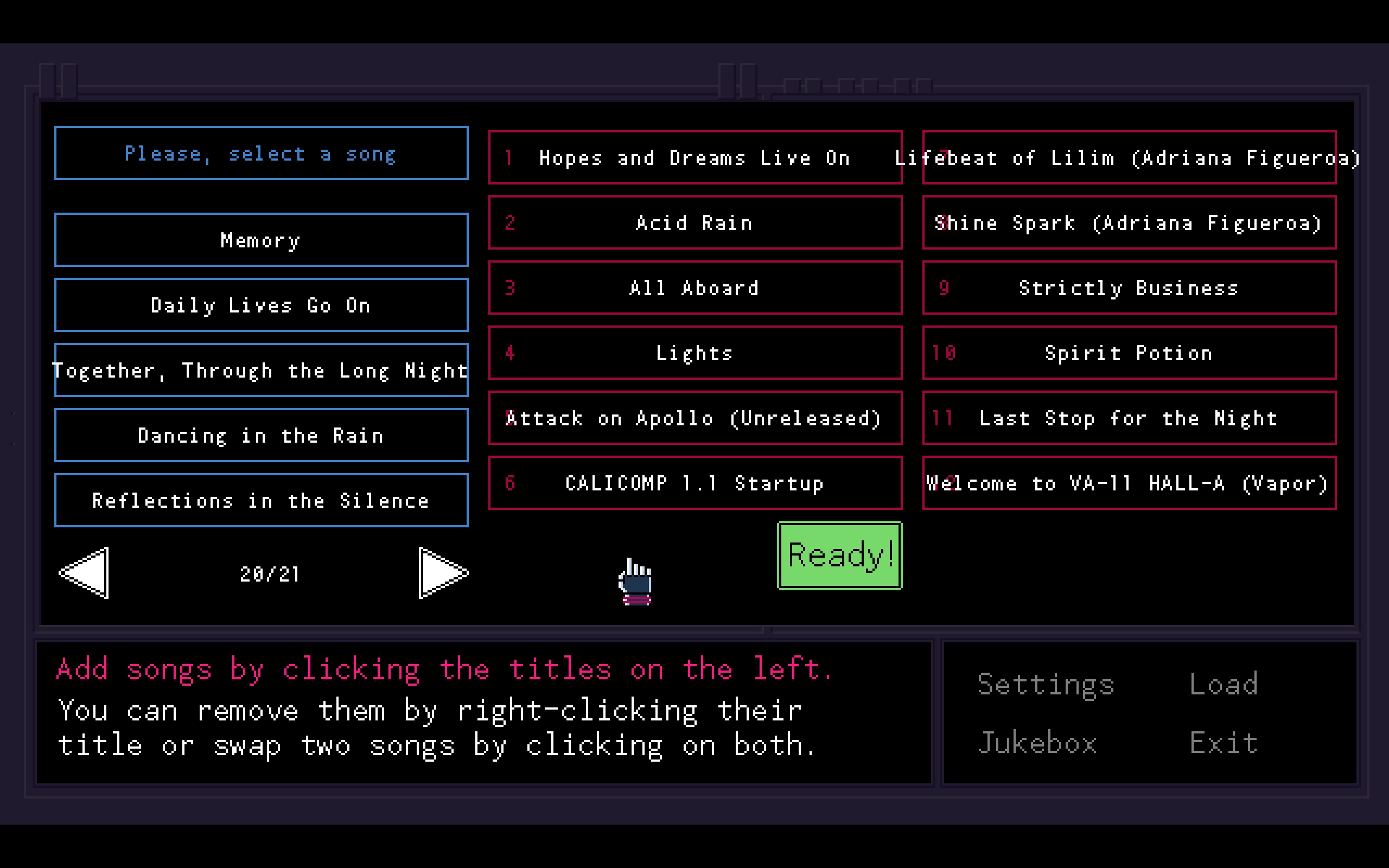
In short, it adds 46 tracks to the jukebox list (12 pages expanded to 21!)
This mod:
• Unlocks all the hidden tracks right from the start, like "Truth", "You've Got Me" etc. (make sure to create a new save file!)
• Adds tracks presented in official OST albums but missing in jukebox ("Spirit Potion", "Strictly Business" etc.)
• Adds several Garoad albums that have similar music style, such as
"Passenger EP"
"Sukeban EP"
"VA-11 HALL-A EX Bonus Tracks Collection" (with *Kira* Miki's songs performed by Adriana Figueroa!)
and even recent "VA-11 HALL-A 10th Memory Sound" release!
• Adds some tracks that were playable in the game only under certain circumstances (the CALICOMP startup/shutdown, the results screen melody, etc.)
• Adds some unreleased/random stuff (Live performances included in Extra albums, unreleased "Attack on Apollo" track, April's Fool vaporwave version of Welcome to VA-11 HALL-A", etc.)
IMPORTANT: please buy original VA-11 HALL-A game
https://store.steampowered.com/app/447530/VA11_HallA_Cyberpunk_Bartender_Action/
IMPORTANT 2: please support Michael Kelly ("Garoad") - their music is an essential part of VA-11 HALL-A's amazing atmosphere.
https://garoad.bandcamp.com/
https://garoadmusic.com/
-----------------------------------------------------------------------------------------
Known bugs:
1) Tracks with long names: their title can go beyond the screen and ignore borders
2) Already existing saves: tracks like "Truth" might remain locked even with mod installed. Workaround: create a new save file instead.
Enjoy the mod!
Download
Install instructions
On Windows 10/11:
1) Open the folder with the game. It's probably C:\Program Files (x86)\Steam\steamapps\common\VA-11 HALL-A
But if it didn't work, you also can open Steam -> Library -> right click button on the VA-11 HALL-A game entry on the left -> Manage -> Browse local files
2) If all good, you will find folder with "answer", "scripts", "sounds" folders, VA-11 HALL-A .exe file and - most important - data.win file.
3) Rename "data.win" to any other name, like "olddata.win"
4) After that, extract "data.win" file from this archive to this folder, so that you have "olddata.win" and "data.win" in the same folder.
5) Now run VA-11 HALL-A - from .exe file or by clicking "Play" in Steam.
If you did everything right - on the title screen where Jill is looking at the city, you will see "Jukebox Expanded" text in the top. It means that mod was installed successfully.
FOR THE CORRECT WORK OF THE MOD - PLEASE CREATE A NEW SAVE FILE.
Leave a comment
Log in with itch.io to leave a comment.